Module 0: IBM Storage Fusion Installation & Architecture
Learning Objectives
By the end of this module, you will:
-
Understand the core architecture and components of IBM Storage Fusion and OpenShift Data Foundation
-
Learn the operator-driven installation process on OpenShift
-
Recognize how Ceph and the Multicloud Object Gateway (MCG) underpin the storage layer
Architecture Overview
IBM Storage Fusion integrates with OpenShift as a set of operators managed through the Operator Lifecycle Manager (OLM). The core components are:
OpenShift Data Foundation (ODF) provides the software-defined storage layer. When installed through IBM Storage Fusion, the ODF operators appear in the OpenShift console under the name IBM Storage Fusion Data Foundation — the underlying technology is identical:
-
Ceph — distributed storage engine providing block (RBD), file (CephFS), and object storage
-
Rook — Kubernetes operator that orchestrates the Ceph cluster lifecycle
-
Multicloud Object Gateway (MCG / NooBaa) — S3-compatible object storage for backups and data services
IBM Storage Fusion adds enterprise data services on top of ODF:
-
Intelligent data protection with Change Block Tracking (CBT)
-
Application-aware backup and restore
-
Unified management UI integrated into the OpenShift console
Component Layout
OpenShift Container Platform {ocp_version}
├── openshift-storage namespace
│   ├── rook-ceph-operator
│   ├── ocs-operator
│   ├── odf-operator
│   ├── mcg-operator (NooBaa)
│   ├── cephcsi-operator
│   └── StorageCluster (Ceph OSDs, MONs, MDS)
├── {fusion_namespace} namespace
│   ├── isf-operator (IBM Storage Fusion)
│   └── ibm-usage-metering-operator
└── Storage Classes
    ├── {storage_class_rbd} (Block / RWO)
    ├── {storage_class_rbd_virt} (Block / RWX for VMs)
    ├── {storage_class_cephfs} (Filesystem / RWX)
    └── {storage_class_noobaa} (Object / S3)
Instructor-Led Demo: Operator Installation Walkthrough
|
The lab environment is pre-provisioned. This section walks through the installation process conceptually so you understand how the operators were deployed. |
Step 1: IBM Storage Fusion Operator
IBM Storage Fusion is the first operator installed. It orchestrates the entire storage stack.
-
The
ibm-operator-catalogCatalogSource is registered inopenshift-marketplace(image fromicr.io/cpopen/ibm-operator-catalog) -
A
Subscriptionis created forisf-operatoron thev2.0channel with Manual install plan approval -
The administrator approves the
InstallPlan, and the Fusion operator deploys into theibm-spectrum-fusion-nsnamespace -
Once running, Fusion takes over and automates the deployment of the storage layer
Step 2: Fusion Deploys ODF Automatically
Fusion handles the entire ODF installation — the administrator does not need to visit OperatorHub or create any ODF resources manually.
-
Fusion registers the IBM Storage Fusion Data Foundation catalog (
isf-data-foundation-catalog) inopenshift-marketplace, pointing to IBM’s container registry (icr.io/cpopen/isf-data-foundation-catalog:v4.18) -
Fusion creates ODF
Subscriptionresources in theopenshift-storagenamespace, targeting thestable-4.18channel with Automatic approval -
OLM resolves the subscriptions and installs the full set of ODF operators:
odf-operator,ocs-operator,rook-ceph-operator,mcg-operator,cephcsi-operator, and supporting components -
Each Fusion-created subscription carries the label
cns.isf.ibm.com/creator-fusion, identifying Fusion as the orchestrator
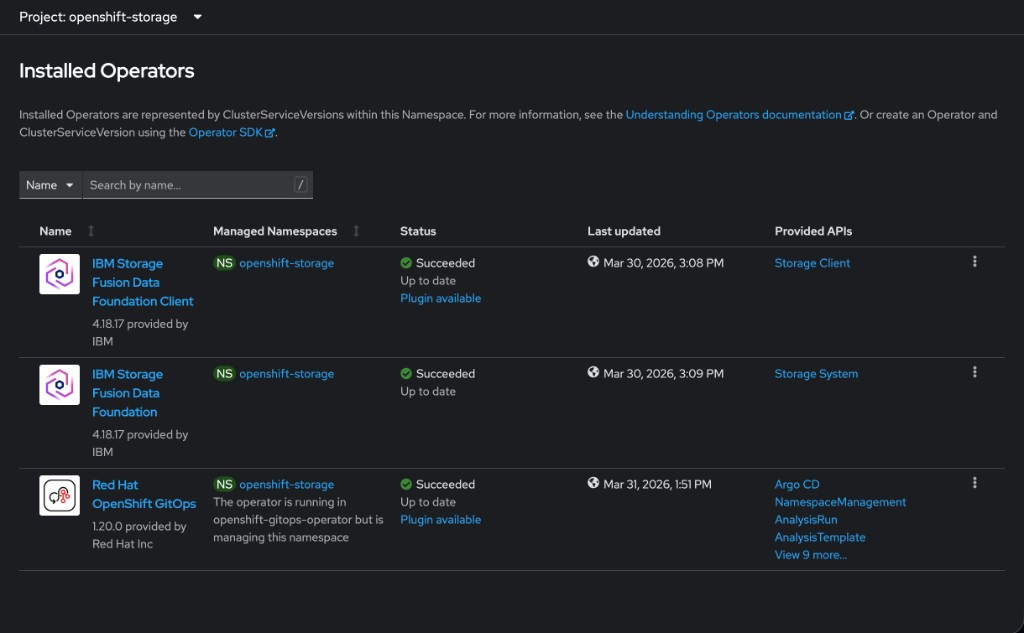
openshift-storage namespace — note the IBM Storage Fusion Data Foundation brandingStep 3: Storage Cluster Instantiation
Once the ODF operators are running, a StorageSystem custom resource is created, which in turn owns the StorageCluster:
apiVersion: ocs.openshift.io/v1
kind: StorageCluster
metadata:
  name: ocs-storagecluster
  namespace: openshift-storage
spec:
  storageDeviceSets:
    - name: fusion-storage
      count: 1
      replica: 3
      dataPVCTemplate:
        spec:
          accessModes:
            - ReadWriteOnce
          volumeMode: Block
          resources:
            requests:
              storage: 512Gi
          storageClassName: gp3-csi
The replica: 3 field means Ceph deploys three OSD daemons across different failure domains (racks) for resiliency. Rook then brings up the full Ceph cluster: MON daemons for consensus, OSD daemons for data storage, and MDS daemons for CephFS. Ceph container images are pulled from IBM’s registry (cp.icr.io/cp/df/ceph).
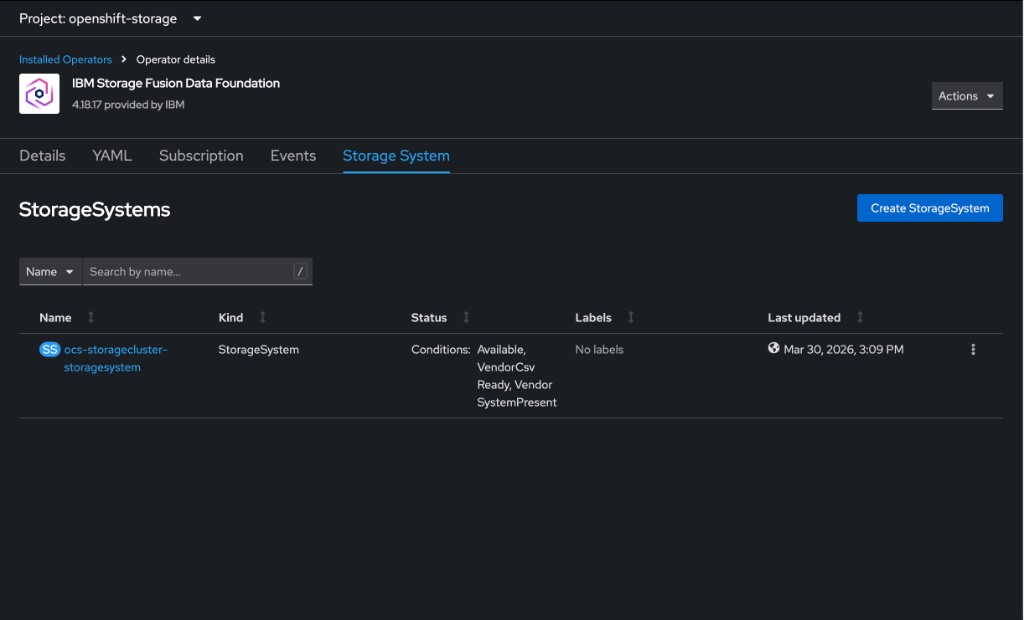
ocs-storagecluster-storagesystem in a healthy stateKey Concepts
Operator Lifecycle Manager (OLM)
OLM automates operator installation, upgrades, and RBAC on OpenShift. Key resources:
-
CatalogSource — defines the operator registry (e.g.
redhat-operators) -
Subscription — declares which operator and channel to track
-
InstallPlan — the concrete set of resources to create for an operator version
-
ClusterServiceVersion (CSV) — describes the operator’s capabilities and requirements
Why Operators Matter
Operators encode operational knowledge as software. Instead of manually deploying and configuring Ceph, the Rook operator:
-
Provisions storage daemons across nodes
-
Handles failure recovery and rebalancing
-
Manages upgrades with minimal disruption
-
Exposes storage via standard Kubernetes StorageClasses
References
|
Facilitator Notes: Since the lab environments are pre-provisioned, this is a conceptual and demo-driven module. Focus on the "why" and "how" of the architecture. Architects will care about the component layout and integration points; Admins will care about the Operator installation flow and Day-0 configuration. |